

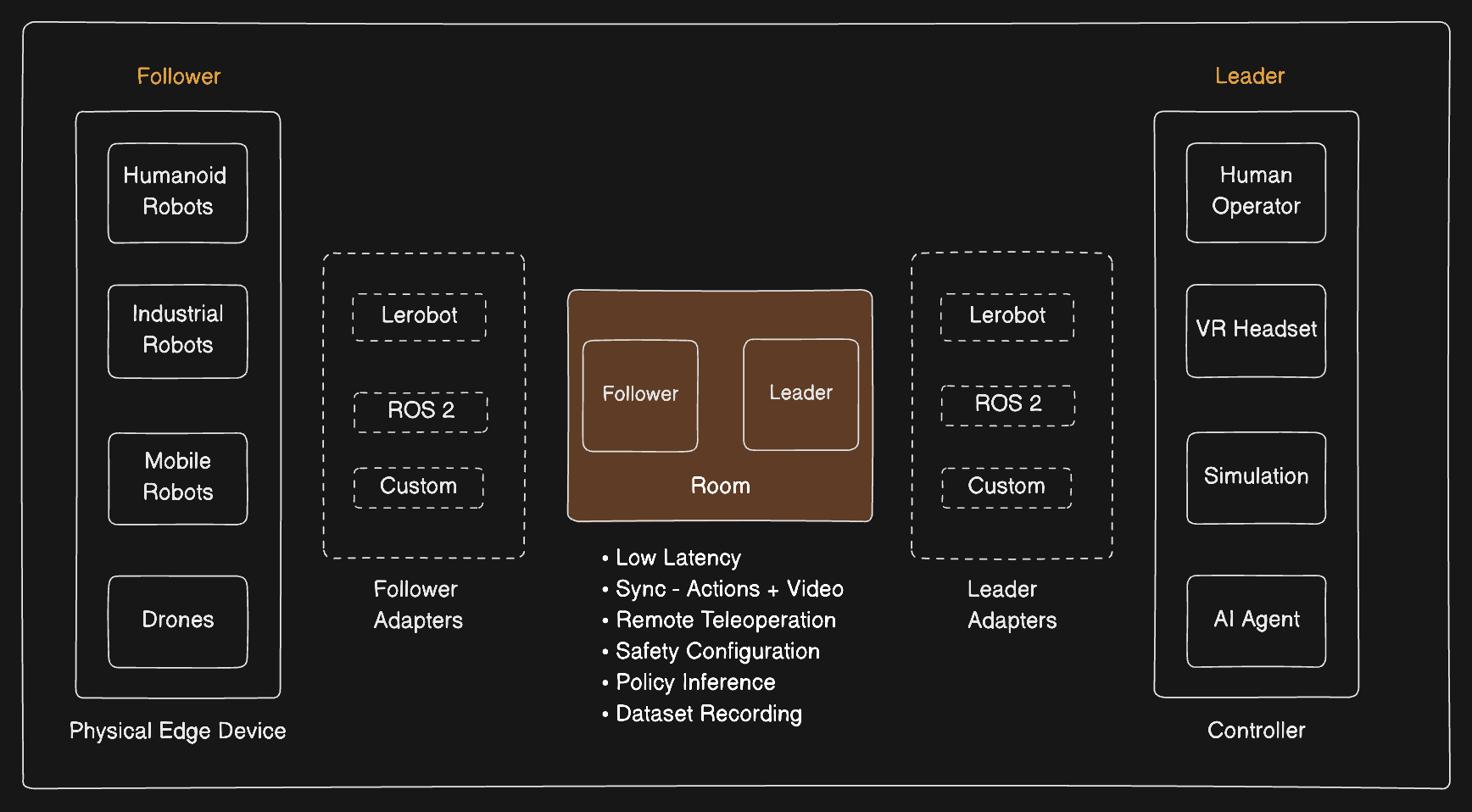
Follower runs on the robot and Leader on the controller. Extend either one
to add your own hardware and behaviour. The SDK manages transport, safety,
correlation, sync and recording.
You do not need a robot to start. The
Quickstart runs the whole chain on a laptop, with a
dictionary standing in for the hardware.
Use cases
Remote teleoperation
Drive a robot from another room or another country, with low latency, your
own safety configuration, and automatic dataset collection.
Data collection
Record while a person drives, then export a LeRobot dataset. Every action is
paired with the camera frame that caused it.
Simulation and policy
Neither side has to be real hardware. Drive a simulated robot, or let a
model send the movements instead of a person.
Supervised autonomy
Let a model drive, and have a person take over whenever they need to.
Roles
A session has exactly two roles. They can run on different machines, operating systems or continents.
The follower is in charge. It grants control, decides what is safe to apply, and
keeps the record. The leader asks for control and streams the motion it wants.
Concepts
Architecture
What happens between a command arriving and the robot moving.
Safety
The checks a command passes before it reaches the motors.
Sync
How video and joint readings are matched to the same moment.
Recording
What gets saved during a session, and how to export it.
Build
Quickstart
Run the full chain with no hardware, then move to an arm.
Installation
Install the extras your role needs.
Python SDK
Every class, method and event, with defaults and examples.
Integrate
Pick the path that matches the hardware you already have.LeRobot
Drive an SO-101 through the LeRobot robot and teleoperator you already
use.
ROS 2
Connect any ROS 2 robot with joint topics. Torq currently ships one bridge
node that runs beside your own drivers, one per host.
Custom
Connect a custom robot or edge device by extending the Follower and
Leader classes.
Need Help?
Community
Join the community and connect with other developers.
GitHub
Ask questions, report issues, and contribute feedback.
Talk to an Expert
Book a demo, contact support, or speak with our sales team.